
CRM and ERP systems
When clients, orders and inventory live in notebooks, Excel or messengers — it is time for a proper system. We implement CRM (client and sales tracking) and ERP (inventory, orders, processes) for your business on proven engines — we do not spend years building from scratch, we configure a ready-made system to fit exactly how you work.
When the business grows but the order does not
If at least two of these sound familiar — it is time to bring order to your clients and orders.
Leads get lost between calls, messengers and sticky notes — and some are simply forgotten.
You forgot to call back — and the client went to whoever answered first.
You cannot see the numbers — how many leads, how many sales, what stage each deal is at. Decisions made on gut feeling.
Everything is in Excel, and once several people work on it, the file turns into a mess of versions.
Inventory and sales are separate — the stock never matches: you sell what is already gone, or forget to reorder.
Every manager runs their clients their own way — and when they quit, they take the client base with them.
Below — three ways to fix this, and why we chose one of them.
Excel, "from scratch", or a ready-made system?
Three ways to bring order. We chose the one that delivers results faster, more reliably and cheaper — and leaves the code and data with you.
Excel and messengers
"Good enough for now" — until leads start slipping through.
- Leads and clients get lost, no full picture
- No reminders — you forget to call back, you lose the sale
- One file, one mess once several people work on it
Cost: $0 · Risk: high
A ready-made system, tailored to you
We take a proven engine and configure it to fit exactly how you work.
- Fast — a working system in weeks, not months
- Reliable — the engine is already proven by thousands of companies
- Cheaper — you do not pay for years of building from scratch
- Honest — the system runs on your server, the code and data are yours
Your own system "from scratch"
It sounds great, but it is a long and expensive road.
- Months of development before the first working result
- Expensive — you pay for every feature that already exists elsewhere
- Rough edges and bugs that ready-made systems ironed out long ago
Cost: high · Timeline: months and up
What it is and why
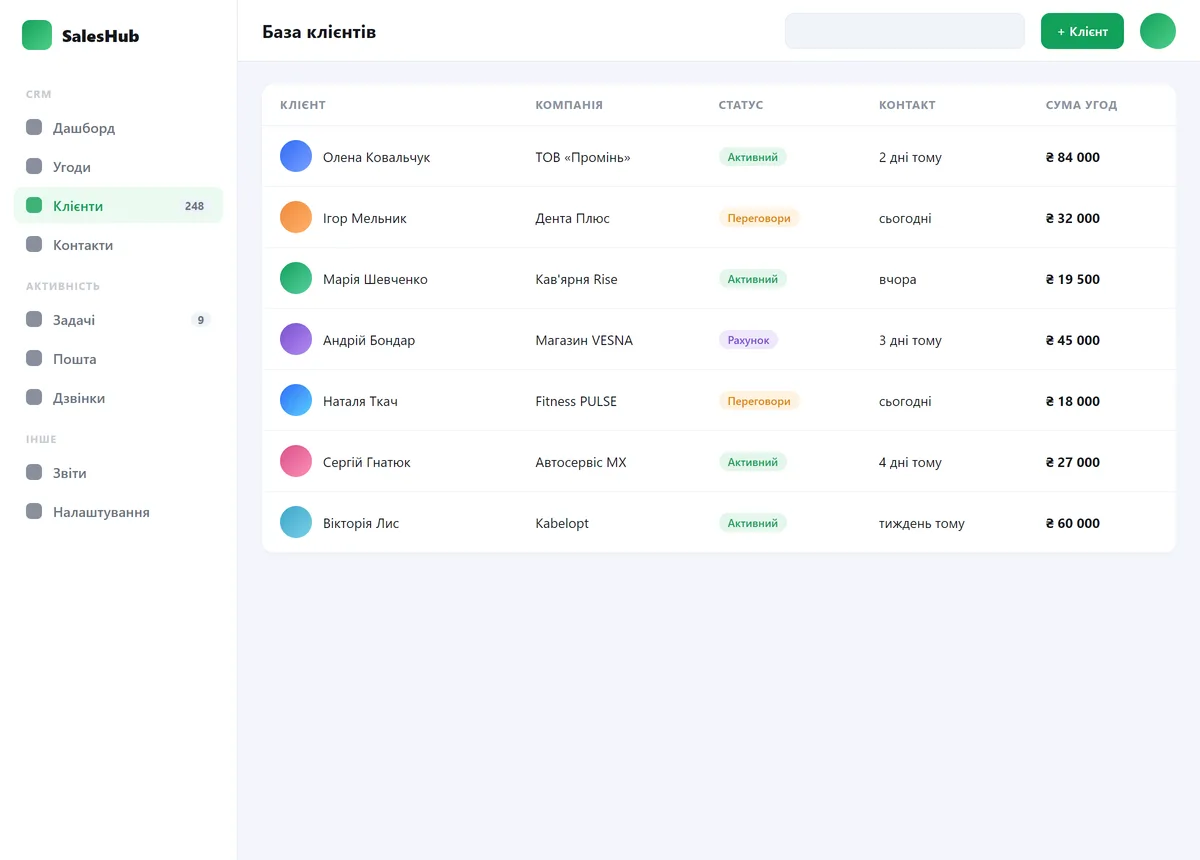
CRM is a system for tracking clients and sales: every inquiry, deal and task in one place, no one gets lost, and you can see who is at what stage. ERP is broader: warehouse, orders, finances and the processes of the whole company. Many start with CRM and add the ERP part as the business grows.
We do not spend years writing a system from scratch — that is expensive and risky. We take proven systems that already do almost everything you need, and configure them to fit your processes: the sales funnel, fields, access rights, integrations. You get a working system faster and cheaper, and the server, code and data stay yours.
CRM and ERP — what is the difference
In short: CRM manages clients and sales, ERP handles record-keeping and processes inside the company. We do both — but we keep the ERP part within sensible limits.
CRM — clients and sales
- All inquiries and leads in one place
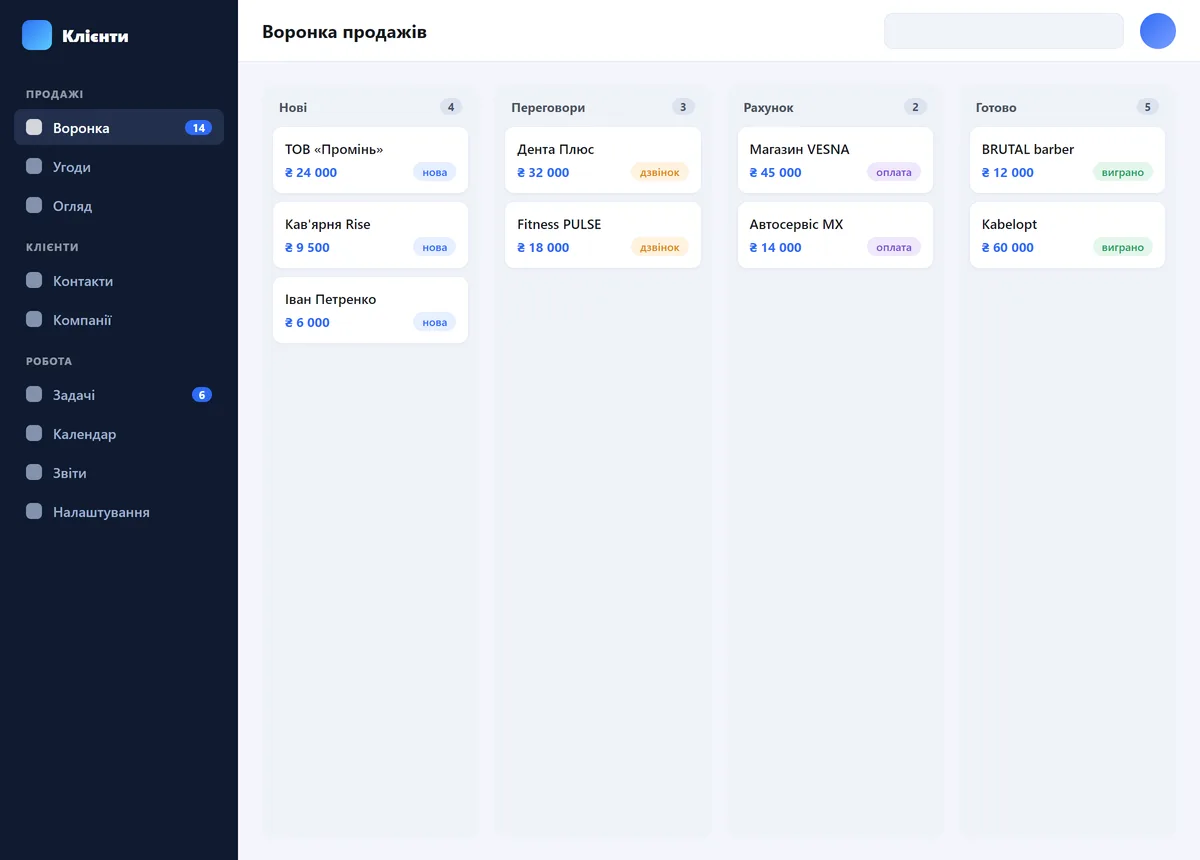
- Sales funnel: who is at what stage
- Tasks and reminders for managers
- A history of every conversation with each client
ERP part — record-keeping and processes
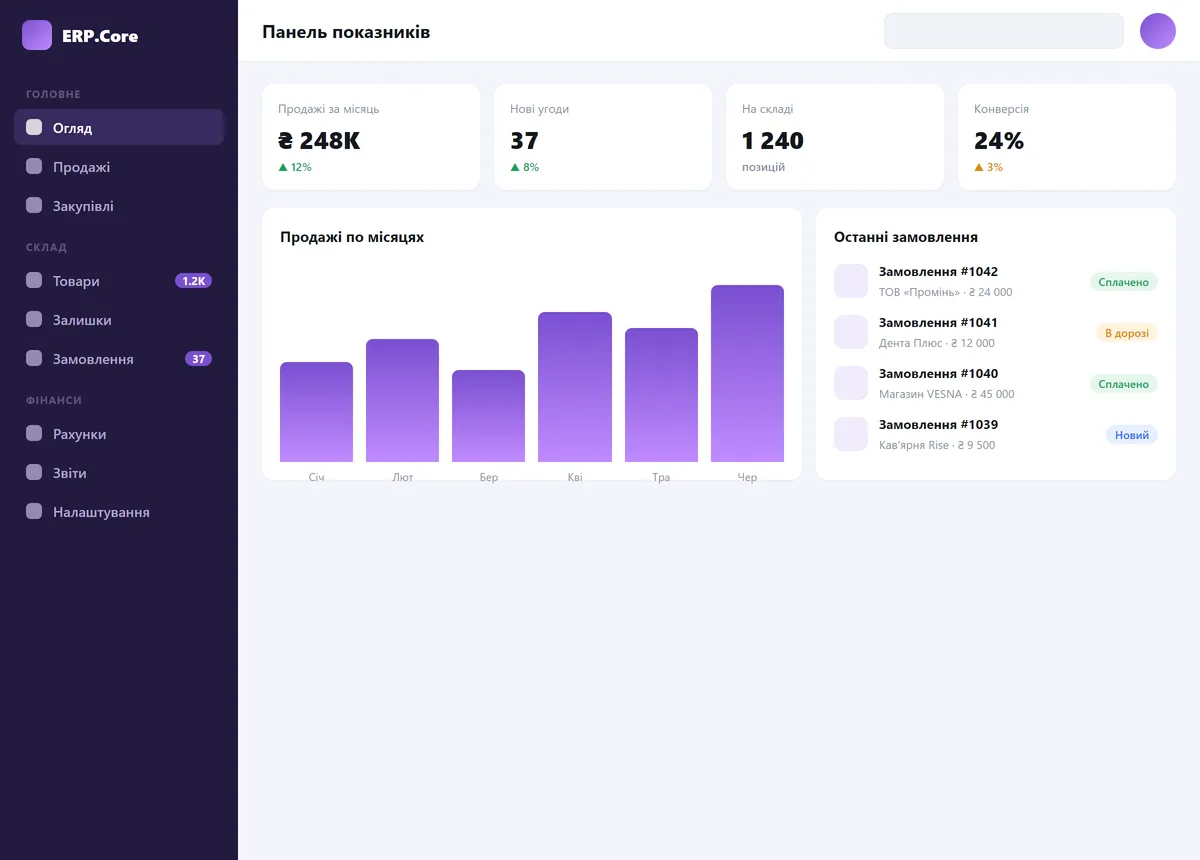
- Warehouse and stock — how much of each item you actually have
- Orders and stock movement: received -> picked -> shipped
- Basic finances: income, expenses, who owes how much
- Purchasing: what to reorder and when
What you can automate
From a client database to inventory and manufacturing — here is what the system we tailor to you can do. Not everything at once: we implement only what your business really needs.
Clients and sales
- A database of clients and companies — the history of enquiries, deals and payments for each one
- Leads from the website, email and phone — in a single pipeline, with statuses
- Tasks and reminders for managers: who to call, what not to forget
- Email campaigns to your base: news, promos, winning back "sleeping" clients
Products and catalogue
- A product catalogue: attributes, variations, photos, barcodes
- Bundles (sets of several products) and interchangeable analogues
- Prices and price lists in one place — no manual duplication
Orders and documents
- Orders with statuses on a visual board: received -> assembled -> shipped
- Payments, returns, promo codes
- Invoices, quotes, acts and contracts — printed to PDF from your template
- End-to-end document numbering — no "invoice #5 in three versions"
Inventory and purchasing
- Stock across one or several warehouses, goods movement, stocktaking
- Batches and serial numbers, barcode scanning
- Suppliers and purchasing: you can see what to reorder and when
- Automatic import of supplier price lists
Wholesale and B2B
- A wholesale client account: they place orders themselves and see their prices and stock
- Individual price lists for different client groups
- Receivables: who owes how much and for how long
- Reconciliation acts — generated automatically
Field service and bookings
- Online booking, a calendar and staff schedules — no double bookings
- Automatic reminders to clients before the visit (SMS or email)
- Work orders: a dispatcher board, a route for the day
- Tracking of materials and labor per job
- Warranty cards and photo reports from the site
- A technician account — their jobs right on their phone
Projects and services
- Projects and their tasks — who does what and by when
- Time tracking
- Cost and profitability of every project
Manufacturing
- Bills of materials: what your products are made of
- Production orders and raw material write-offs
- Cost calculation
- Quality control checklists
Reports and numbers
- The sales funnel: how many leads, where they get stuck, how many reach payment
- Sales by manager, product and period
- Receivables and profitability — on a single screen
Delivery (Nova Poshta), telephony, online payments, SMS and email notifications, marketplace feeds — see the "Integrations" section below.
You do not have to do "everything at once"
Start with a small step, then expand as needed. That way you see the value before any big rollout.
Consultation + plan
Free
We will go through your processes and tell you honestly: what is worth automating, what is not, where to start and roughly what it will cost. No obligations.
Book a callImplementation
Custom quote · from 2 weeks
We configure the system around your sales funnel, migrate data from old spreadsheets, connect the website and notifications, and train your team. The result — a working tool.
Discuss the projectSupport
Subscription · as needed
From there we keep supporting you: fine-tuning, new integrations, onboarding new staff, updates. The system grows with your business.
How support worksWe name the exact price after a short conversation — because the scope is different for everyone. Some just need a simple CRM for leads, others need an ERP with inventory and finances.
Integrations
The system does not live in isolation — we connect it to the tools you already use. Here is how it works and what we need from you.
Your website and lead forms
A request from any form on the site appears in the system right away — with name, phone and message. Nothing gets lost, and the manager sees it within seconds.
From you: nothing — we handle it on our side.
Telephony and calls
We connect IP telephony (Binotel, Ringostat and similar). A client calls — their card pops up in the system instantly, the call is recorded and linked to the deal. You see every missed call.
From you: a number and plan with a phone operator (paid to them separately). We set up the connection.
Online payments
We connect a payment service (LiqPay, Fondy, WayForPay, monobank). The client pays by card via a link or on the site — the "paid" status lands in the system right away.
From you: a sole-proprietor registration and a contract with the payment service (they take a small percentage of each payment). We enter and configure your keys.
Client notifications (SMS / Email)
When an order status changes (ready, shipped) — the client automatically gets an SMS or email. Visit reminders work the same way, on schedule. The client has nothing to set up.
From you: for SMS — a small fee per message via a local gateway. Email is free.
Team notifications (Telegram / Viber)
New leads and important events drop straight to you and your managers in Telegram or Viber — no need to keep the system open all day so you do not miss anything.
From you: connecting a bot once — we do it together, in a few minutes.
Delivery (Nova Poshta)
Create waybills and tracking numbers straight from an order, with automatic delivery status updates in the client card.
From you: your Nova Poshta account (API key). We handle the connection.
Price lists and exports
Automatic export of products to your website, marketplaces (Rozetka, Prom.ua) or price aggregators from a single database — no need to fill things in by hand in several places.
From you: nothing special — we set up the format for the platform you need.
Accounting and bookkeeping
We set up an exchange of products, stock levels and orders with your accounting software — so you do not enter the same data twice.
Honestly: a simple exchange (price lists, stock) is easy; deep integration with 1C is a separate task, and we estimate the scope for your specific setup.
Not everything, and not all at once. We connect only what you truly need — so you do not overpay for features no one will use. During the consultation we will point out what will actually be useful for you.
Common questions
Do you write CRM from scratch?
No — building a system from scratch is expensive and slow. We take a proven system that already handles the essentials and configure it for your business. You get the result faster and more reliably, and it looks and works exactly as you need.
How much does it cost?
Custom quote — because the scope is different for everyone: some need a simple CRM for leads, others an ERP with inventory and finances. After a short conversation about your processes we name the price and the timeline.
Will the data be safe?
Yes. We install the system on your own server or hosting — the data belongs to you, with no lock-in to someone else's cloud service and monthly fee. We set up access rights so that each person sees only what they need.
What if we already have clients in spreadsheets?
We will migrate them. We import your existing clients, products and orders from Excel or old spreadsheets at the start, so you do not begin from an empty page.